New pictures and short videos from the photos you have
The Studio is where you put a post together yourself: your own photos, a product's photos from your store, a scene the AI makes, a short video. You see what each account will get, and every post you send waits in the approval queue.
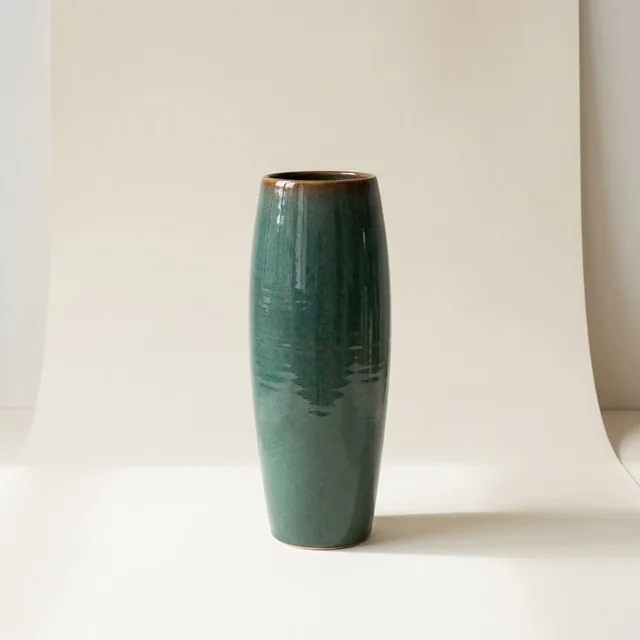
Your product photo
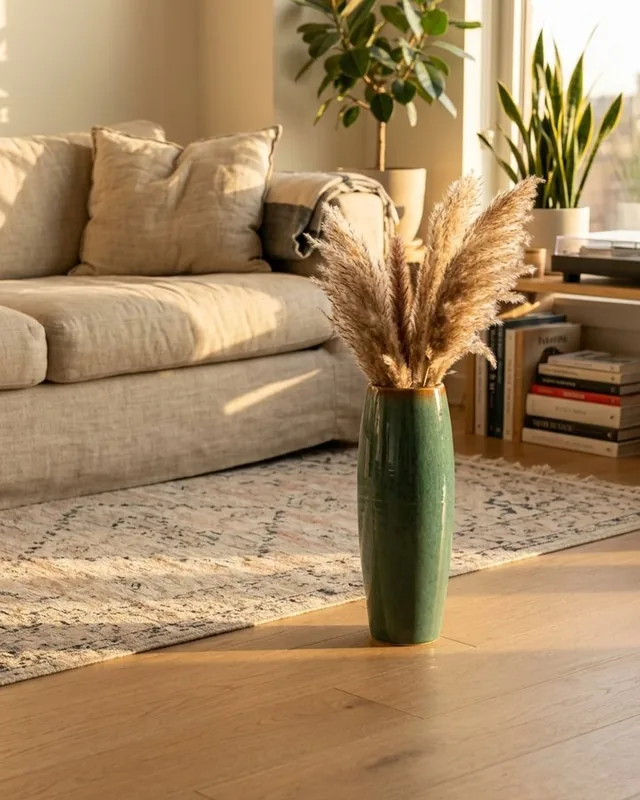
The scene Studio made
How it works
Fill the tray
Upload files, pick from your library or a store, or fetch a product page. A product brings up to 10 photos and fills in its name, description, price and page.
Improve the pictures
Edit is free: a network's shape, a collage, a badge, a price or a discount code band. Make a scene places the product in a new setting with AI, and you see it before it joins the tray.
Write the content
The AI writes each account its own text from the product's details and your notes, or you write one text yourself. Add a link, hashtags and a first comment.
Check what will be sent
Pick up to 10 accounts. What will be sent lists each account's post: its type, its pictures, who writes its text and where its link goes.
Send it to the approval queue
Every post from the Studio waits there for an admin or the owner, whatever your approval rule says.
Good to know
- Scenes in a kitchen, a café, a living room, outdoors or on a studio set, in the light, angle and look you choose. People appear only when you ask for them.
- Make a video turns the tray's pictures into a free 9:16 slideshow. Add a closing card, music from SemPost's library, a 5-second AI motion clip or a voiceover if you like.
- Instagram's own music on Reels, for accounts connected through Facebook; TikTok's music when you publish to TikTok directly.
- TikTok gets a clean copy, without your logo, text on the picture, labels or closing card, as its rules ask.
- Your work stays in this browser until you send it, even after a reload.
Which plans include it
Every plan includes the Studio; plans differ in how much your media library holds. The tray, Edit and slideshow videos are free. On the default model a scene takes 22 credits, and every button shows its price.
7-day trial
1 GB media library
Starter
1 GB media library
Growth
5 GB media library
Pro
10 GB media library
Agency
20 GB media library
Step by step in the help center
The guides walk through every screen, with examples.
- Make a post in the StudioPut your own pictures or a video in the tray, let the AI write or write it yourself, and send a post for each account to the approval queue.
- Edit pictures and make scenesGive a picture the right shape, a collage, a badge or a price for free, or have the AI place your product in a new setting before you post it.
- Make a video in the StudioTurn the tray's pictures into a free 9:16 slideshow for Reels, TikTok and Shorts, with a closing card, music, an AI motion clip or a voiceover if you like.
- Your media libraryFind every picture and video in your workspace, sort them into folders, see how long each one stays, use it in a post and make room when the library is full.
See it with your own products
Seven days, 150 credits, no card. Connect a store and look at the first posts before you decide.