Offered by region
Answer comments with a direct message
With Comment to DM, people who comment on your Instagram or Facebook post get a direct message from your account, for example with the product's link. Answer only the comments that contain a keyword, and add a public reply under them if you like.
Comment to DM is offered by region, on Instagram and Facebook only. If its switch doesn't show when you choose an Instagram or Facebook account, it isn't open to your workspace.
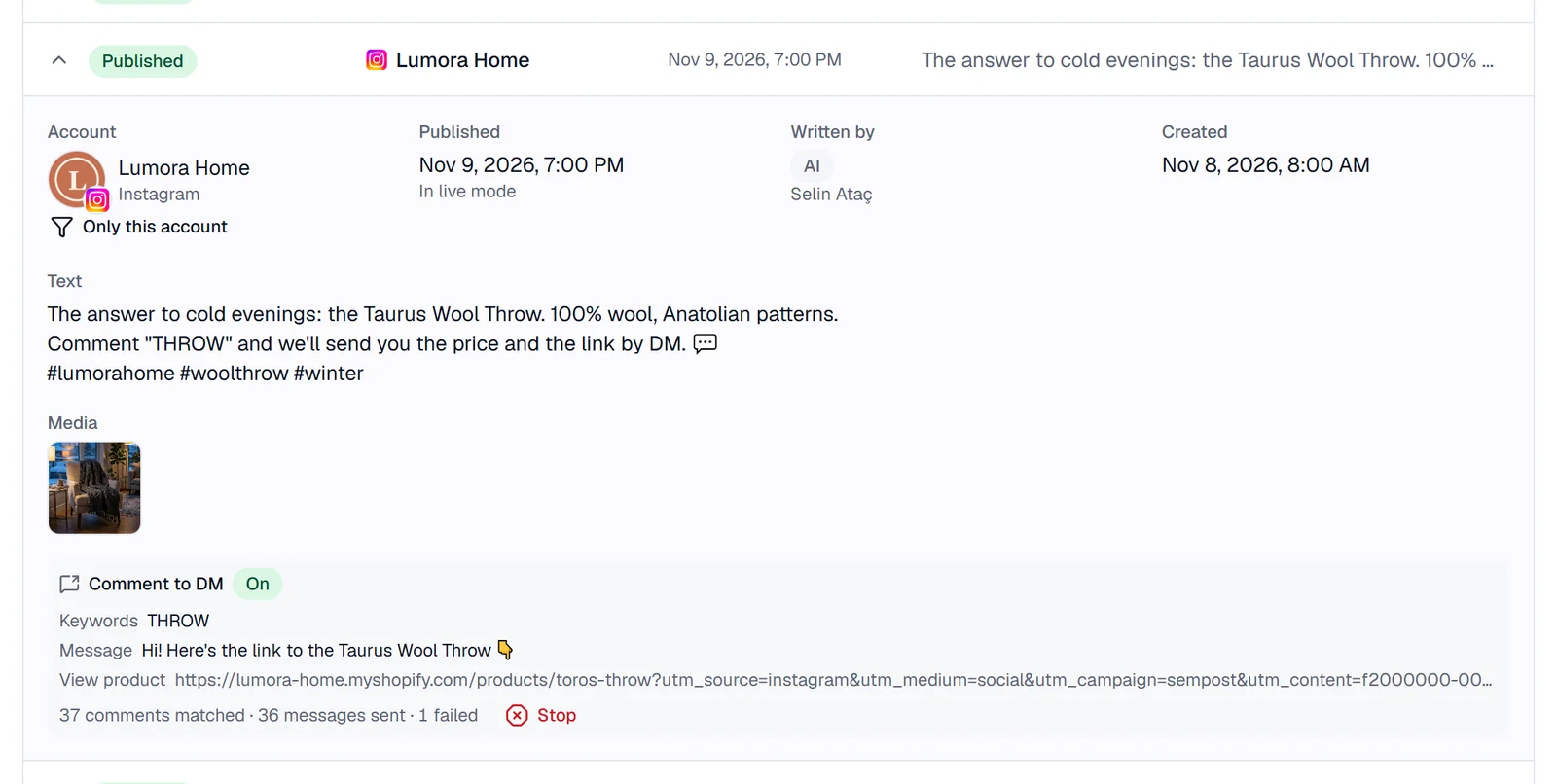
How it works
Switch it on
In the Studio, in Generate from products, in an automation rule, or in the Edit window of a post that hasn't gone out yet.
Pick the keywords
Up to 10, such as “link” or “price”. A comment only has to contain one; leave the field empty to answer every comment.
Write the message
Up to 640 characters, with a button that opens your link. SemPost adds its UTM tags to the link.
Add a public reply
Optional, up to 300 characters, written under the comment once the message has gone out.
Follow it on the post
Show counts tells you how many comments matched and how many messages went out; Stop ends it.
Good to know
- Each person gets the message once: Meta allows one private reply within 7 days of a comment.
- It works in live mode only: a post validated in test mode sends no messages.
- On posts, carousels and Reels; not on stories, which take no comments.
- SemPost doesn't keep who commented or who got a message; its publishing partner Zernio keeps that record.
- It uses no credits: credits pay only for AI work.
Which plans include it
Every plan includes Comment to DM where it is offered.
7-day trial
Included
Starter
Included
Growth
Included
Pro
Included
Agency
Included
Step by step in the help center
The guides walk through every screen, with examples.
- Send a DM to people who commentAnswer comments on your Instagram and Facebook posts with an automatic direct message that carries your link.
- First comment, hashtags, link and UTMWhere SemPost puts a post's link, hashtags and first comment on each network, and how UTM tags show which post a visit came from.
See it with your own products
Seven days, 150 credits, no card. Connect a store and look at the first posts before you decide.