How-to guide
Send a DM to people who comment
Answer comments on your Instagram and Facebook posts with an automatic direct message that carries your link.
With Comment to DM, people who comment on your Instagram or Facebook post get a direct message from your account, for example with the product's link. You can answer only comments that contain a keyword, such as "link" or "price", and also write a public reply under the comment.
Set it up
Find the switch
Comment to DM is in the Studio (under Content), in Generate from products (the Image and text step), and in the Edit window of a post that hasn't gone out yet. For a post written on the Posts page, save or plan it, then open Edit from its … menu in the post history. The switch shows when an Instagram or Facebook account is chosen with a type other than a story.
Switch it on and pick the keywords
Switch on Comment to DM. Under Keywords, write up to 10, separated by commas. A keyword only has to appear in the comment: "link" also matches "links". Leave it empty to answer every comment.
Write the message
Write the Message, up to 640 characters. A Link, if you add one, opens from a button under the message; Button text names it (up to 20 characters; See the product if empty). In the Studio, an empty Link sends the Studio's own link; in Generate from products, Send each product's own link sends each product's page. SemPost adds its UTM tags: see First comment, hashtags, link and UTM.
Add a public reply if you like
Public reply under the comment is optional, up to 300 characters. It's written under the comment after the message goes out.
Send the post as usual
Plan the post or send it to the Approval queue. Its Comment to DM is set up when the post goes out live.
Only in live mode
Test mode sets nothing up: a post validated in test mode never sends messages.
Follow it on the post
In the post history, open the post. Its Comment to DM box shows the keywords, the message, the link and the state.
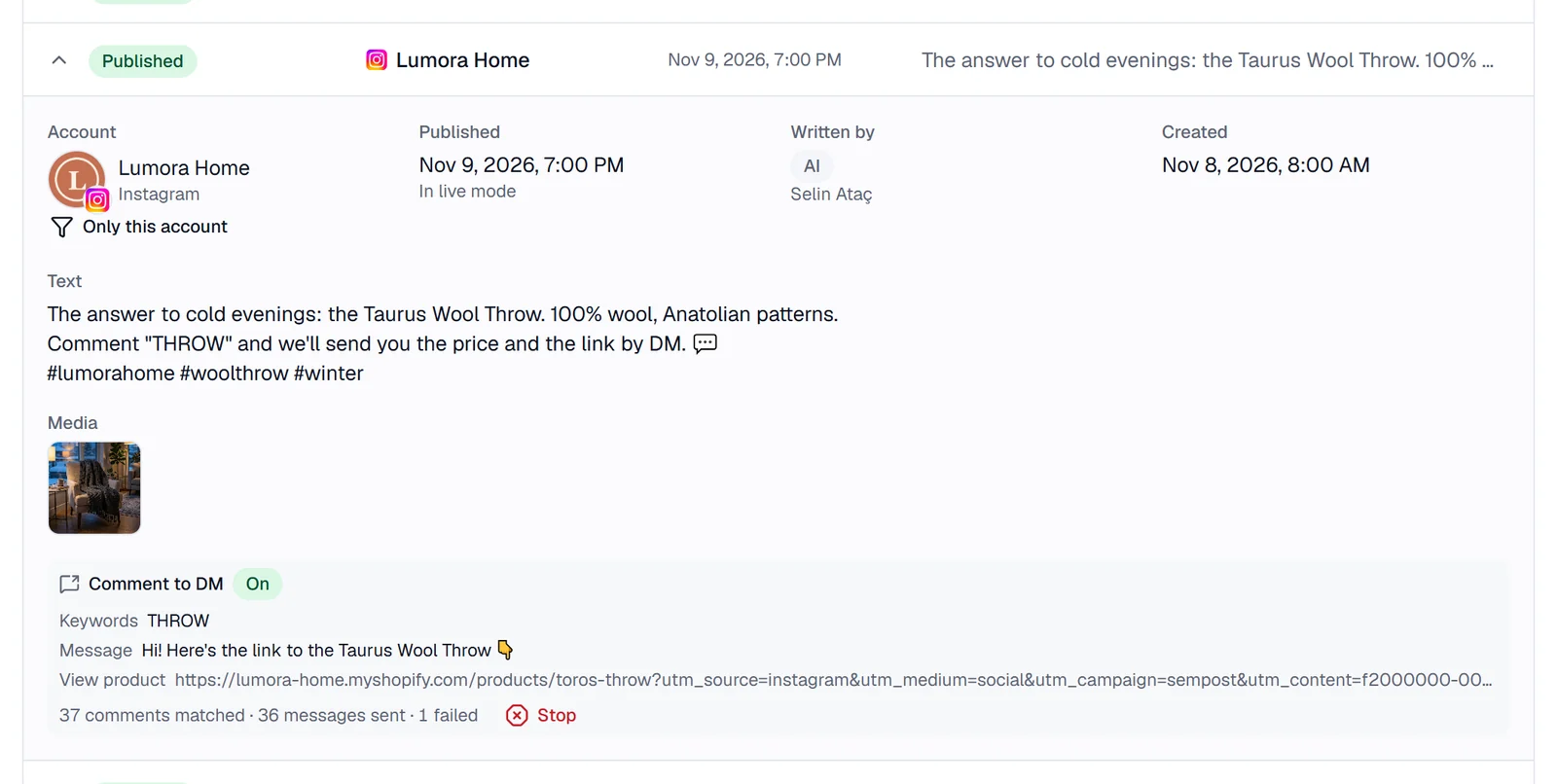
- set up when the post goes out live: not out yet. Edit in the box changes the DM.
- not set up in test mode: the post's time came while the workspace was in test mode.
- Setting up: the post went out; SemPost keeps trying to set the DM up for a day.
- On: it's working. Show counts shows the comments that matched, the messages sent and those that failed.
- Held: the feature was switched off in your region. It resumes by itself when the feature is back on.
- Stopped: someone stopped it, the post failed, or the account was disconnected.
- Could not be set up: the reason follows The gateway said:. The post itself isn't affected.
- Not set up: the feature was off in your region when the post went out.
Stop ends it for good: new comments on the post get no message.
Where it works
- Instagram and Facebook posts, carousels and Reels; not stories, which take no comments, and not other networks.
- Each person gets the message once. Meta allows one private reply within 7 days of a comment.
- It's offered by region: your workspace's region comes from its Business country in Settings › Workspace, or from its time zone's country. If the switch doesn't show even with an Instagram or Facebook account chosen, Comment to DM isn't open to your workspace.
- SemPost doesn't keep who commented or who got a message; its publishing partner Zernio keeps that record.
If something goes wrong
- Write a message for the comment to DM; the link must start with https://. Fill in Message; fix the link or leave it empty.
- Comment to DM is closed for your workspace right now. You can only take this post's DM away. The feature was switched off after the DM was set.
- This feature is not available for your workspace. Comment to DM isn't open in your region.
- This post cannot be changed in its current state. The post has gone out, so its DM can't change; you can still Stop it.