Explanation
Test mode and live mode
In test mode SemPost checks your posts against each network's rules without publishing them; in live mode they go out on your real accounts.
Every workspace has a publish mode. In test mode nothing reaches your social accounts: when a post's time comes, SemPost only checks it against the network's rules. In live mode, posts whose time comes are published on your real accounts. A new workspace starts in test mode, so you can try everything out first.
Not the free trial
Test mode is a publishing setting. The 7-day free trial is about your plan, and the two aren't linked: buying a plan doesn't switch on live publishing.
What each mode does
- Test mode: at its time, the post is checked against the network's rules. If it passes, its status becomes Validated (test); if something would stop it, it becomes Failed with the reason, such as The post does not meet the network's rules. Nothing is posted.
- Live mode: at its time, the post is sent to the network and becomes Published, or Failed with the reason.
Writing, generating, approving and scheduling work the same in both modes; only what happens at the post's time differs. Generating posts, pictures and videos uses credits in both modes.
Where you see it
- The badge at the top of every page says Test mode or Live. Hover over it for a short explanation.
- The card at the bottom of the sidebar, and the Publishing mode card on the dashboard.
- A note in the New post card on the Posts page, and one on the Approval queue: in test mode they remind you that what you send or approve is only validated.
Switch on live publishing
Find the Publish mode card
Go to Posts. The Publish mode card is beside New post. Only the owner and admins can change the mode; other members see Owners and admins change the publish mode.
Turn on Live publishing
Turn on the Live publishing switch. SemPost asks Switch on live publishing?; press Switch on live publishing. The badge changes to Live.
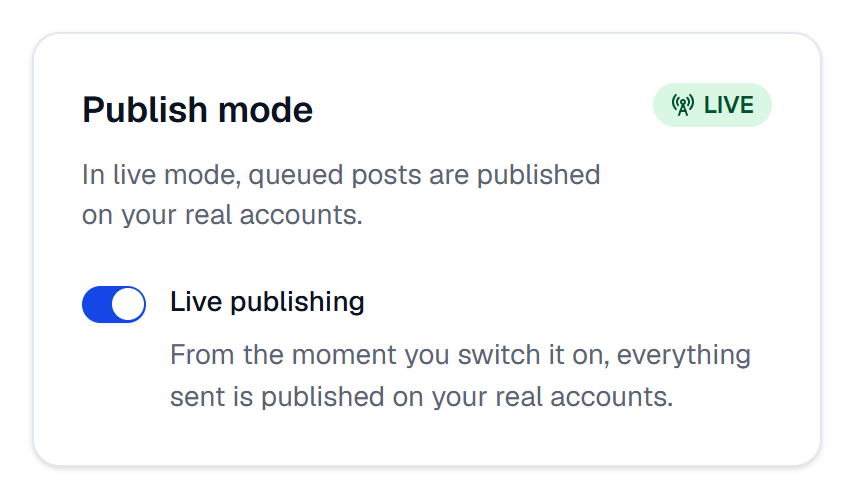
To go back, turn the Live publishing switch off. It happens at once, without a question.
Live publishing needs our approval first
During the beta, SemPost's team switches on live publishing for each workspace. Until then the switch stays off and the card says so. Write to [email protected] when you're ready.
What happens to scheduled posts
SemPost reads the mode when a post's time comes, not when the post was written or approved:
- Once live publishing is on, every scheduled post whose time comes is published, including those you planned in test mode. Look through the Calendar before you switch it on.
- Back in test mode, posts whose time comes are only validated. A post that has already gone to the network isn't affected.
- A post already validated in test mode stays Validated (test): switching to live mode doesn't send it.
Each change of mode is recorded in the audit log as Changed the publish mode.
If something goes wrong
- The Live publishing switch can't be turned on. Live publishing hasn't been switched on for your workspace yet, which is also what Live publishing has not been switched on for this workspace yet. means. Write to [email protected].
- The badge went back to Test mode by itself. SemPost's team switched live publishing off for your workspace. Write to [email protected].
- A post failed in test mode. It doesn't meet the network's rules, and it would fail in live mode too. The post list on the Posts page shows why.