How-to guide
Make a short video
Make a vertical video with an attention-grabbing hook from one of your products; see the price first, and the finished videos go to the approval queue.
Short video makes a 15- or 30-second vertical video from one of your products for Reels, TikTok and Shorts: a hook that grabs attention in the first seconds, then the product's photos and a closing card with the price. The AI writes the script and the voiceover; you see the price before you start. The finished videos go to the approval queue as a separate post for each account you choose. Short video shows up once it's open for your workspace.
Where to find it
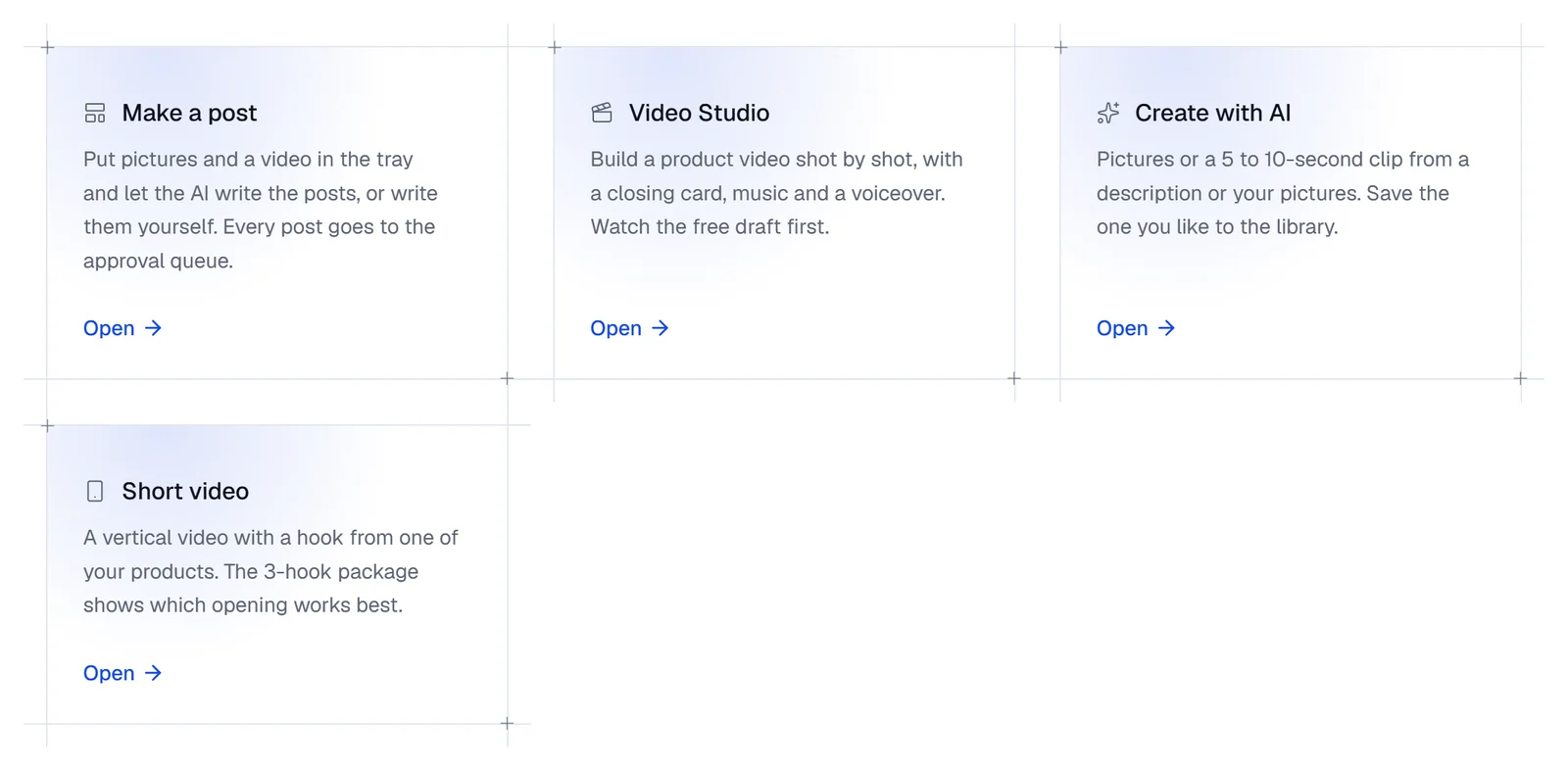
- In the sidebar, under Create, choose Studio, then press Open on the Short video card.
- The Short video (3 hooks) link in the Create with AI panel, when you open the panel from the Studio's home, brings you here too.
Make a short video
Choose the product and its photos
In Product and photos, add photos From the library, From a store or From a product page (up to 12). The first photo is marked Hook: the video opens on it, and the rest of the video uses the others. If you bring the product from your store or its page, Product name, Price and Product page are filled in too. When Price before (if on sale) is above today's price, the closing card shows both prices; the Discount code is written on the closing card.
Choose a format
Format sets how the hook and the words are built: Who would you buy this for?, 3 reasons to buy, Problem and solution, Before and after (your shop's own photos only, at least 2), Close-up, Unboxing (only hands are seen), Packing and behind the scenes or Sale and new arrival (a sale is mentioned only when there's a real discount). None of the formats shows a human face.
Choose the level and length
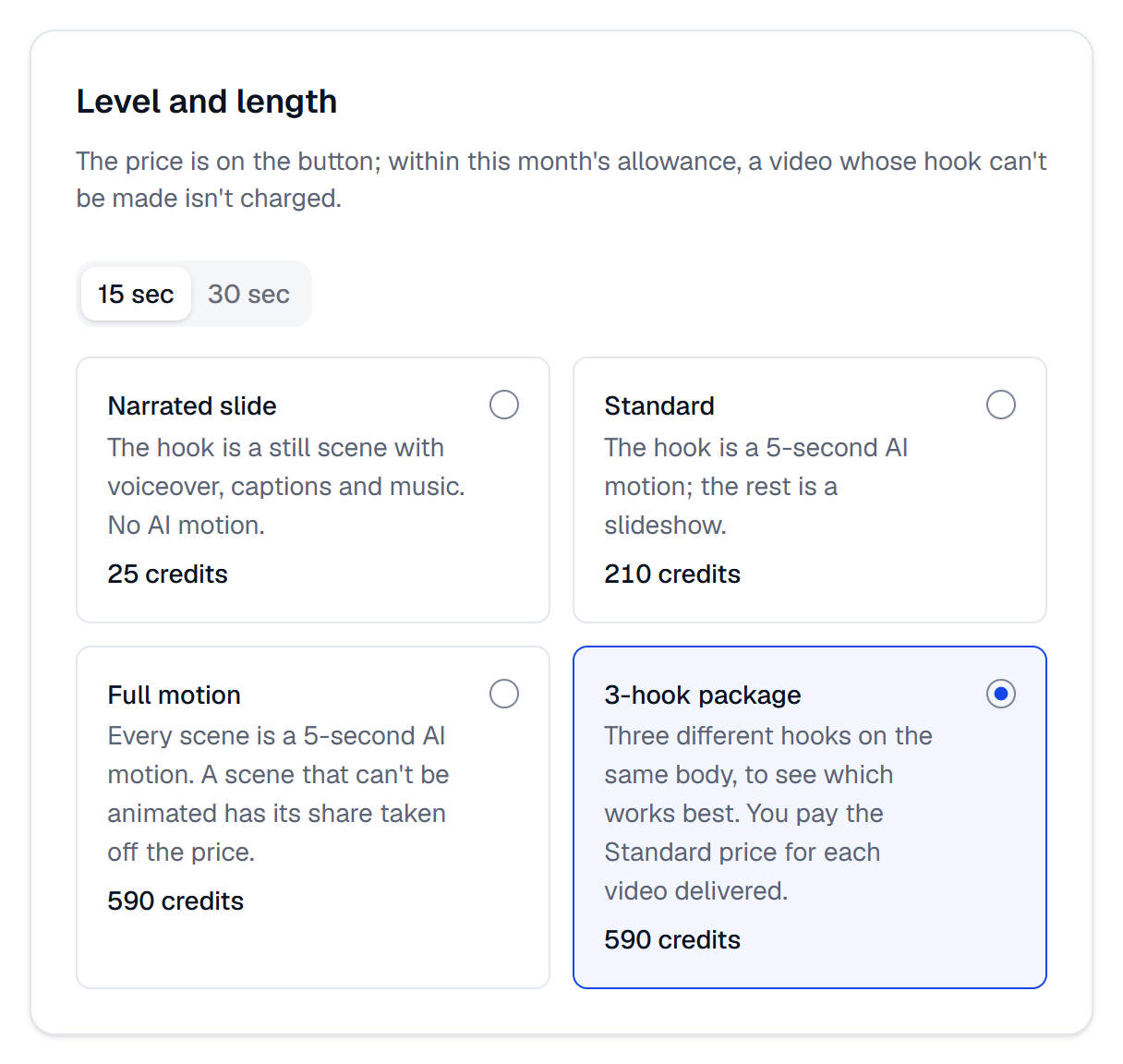
In Level and length, each level's price is on its own card:
- Narrated slide: the hook is a still scene, with voiceover, captions and music. No AI motion.
- Standard: the hook is a 5-second AI motion; the rest is a slideshow.
- Full motion: every scene is a 5-second AI motion.
- 3-hook package: three different hooks on the same body, to see which works best.
Under Length, choose 15 sec or 30 sec.
Choose the voice and the accounts
In Voice and accounts, choose a Voiceover voice; the AI writes what it reads with the script. With Make the swipe twin too on, a swipe post is made from the video's cards as well (below). Under Accounts, choose where the video goes (up to 10); the active accounts that take video come chosen, X accounts apart. To post the video on X, tick one X account yourself: the page says that each video's X post costs 3 credits as it goes out, on top of the video's price. The post's text is shortened to fit X's 280 characters, and the link stays out, with "Link in our profile." in its place.
Start the short video
Above the button, this month's allowance is shown (see If the hook can't be made below). Press Make the short video · … credits. If something is missing, the first thing missing is shown by the button; for example Write the product's name.

While it's made
- The short video joins the Recent short videos list on the same page; while it's made, the list refreshes every few seconds. Its card says Queued, Preparing, Making the videos, Ready, Partly ready or Not made.
- While it's Queued, press Call off and nothing is charged. A short video that has started being made can't be called off.
- Each hook's video is a Video Studio project; Open in the Video Studio opens it. The finished videos show on the card as … posts in the approval queue and aren't published until they're approved.
Videos made by automation
An automation rule can also make short videos (Have short videos made automatically). Its videos show in this page's list too; their card says Automation rule: …, and tapping the rule's name opens the rule. Their posts land in the approval queue at the rule's times. Fixing the voiceover and the choices for a hook that couldn't be made work the same for these videos.
Which hook won?
Once a three-hook package's videos have gone out, its card shows a Hook report. On each account it compares the three hooks 72 hours and 7 days after they went out, by that network's own measure; under the winning hook sit the Video of another product with this hook and New package of the same product buttons. Details and examples: Which hook won?
Fix the voiceover
To change a word or the voice in a delivered video's voiceover, press Fix the voiceover under the video. In the window that opens, change the Voiceover script and the Voice, then press Make the video again · free: the video is made again with the same scenes and the new voiceover, and no clip is made again.
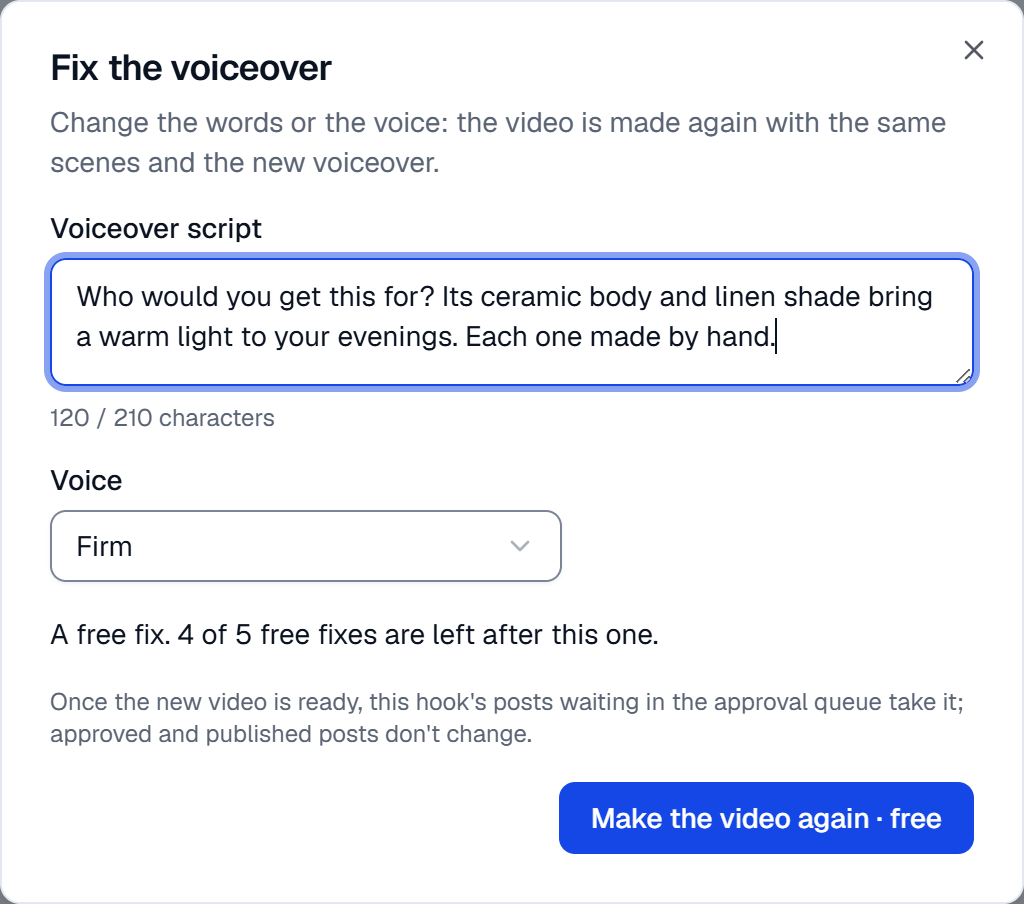
- Each video has 5 free fixes; the window says how many are left after this one. After that, a fix costs the voiceover's price (2–4 credits for a 15–30 second voiceover). If a speech model pricier than the paid voiceover's is chosen, the fix is charged.
- The script must fit the video's length; the window shows how many characters you can write. If the voiceover is the same as before, nothing is made.
- Once the new video is ready, this hook's posts waiting in the approval queue take it. Approved and published posts don't change, and neither does a post whose video you changed yourself. The card says how many posts took the new video and how many kept the old one.
The swipe twin
With Make the swipe twin too on, once a video is delivered its cards become a swipe post: the hook line on the first photo, each body scene's caption on its photo, and the closing card with the price at the end. It goes to Instagram, Facebook and Threads as 4:5 cards and to LinkedIn and Bluesky as square cards. It doesn't go to TikTok or X; their accounts take the video only. The cards are drawn from the video's photos and captions, not by AI, and the price doesn't change. The twin is made once per request.
If the hook can't be made
The AI tries twice to make the hook while keeping the product exactly as it is; the second try uses the same model's Turbo version. If neither works, the hook is made with a simple camera move instead of AI motion.
- Within this month's allowance, such a video isn't charged. The allowance is 2 videos a month (5 on the Pro and
Agency plans); the month starts in the workspace's time zone. Above the button it says A video whose hook the AI
can't make isn't charged. Left this month: … of …. Only the video's thumbnail is shown; the video doesn't go into
your library. You have two choices:
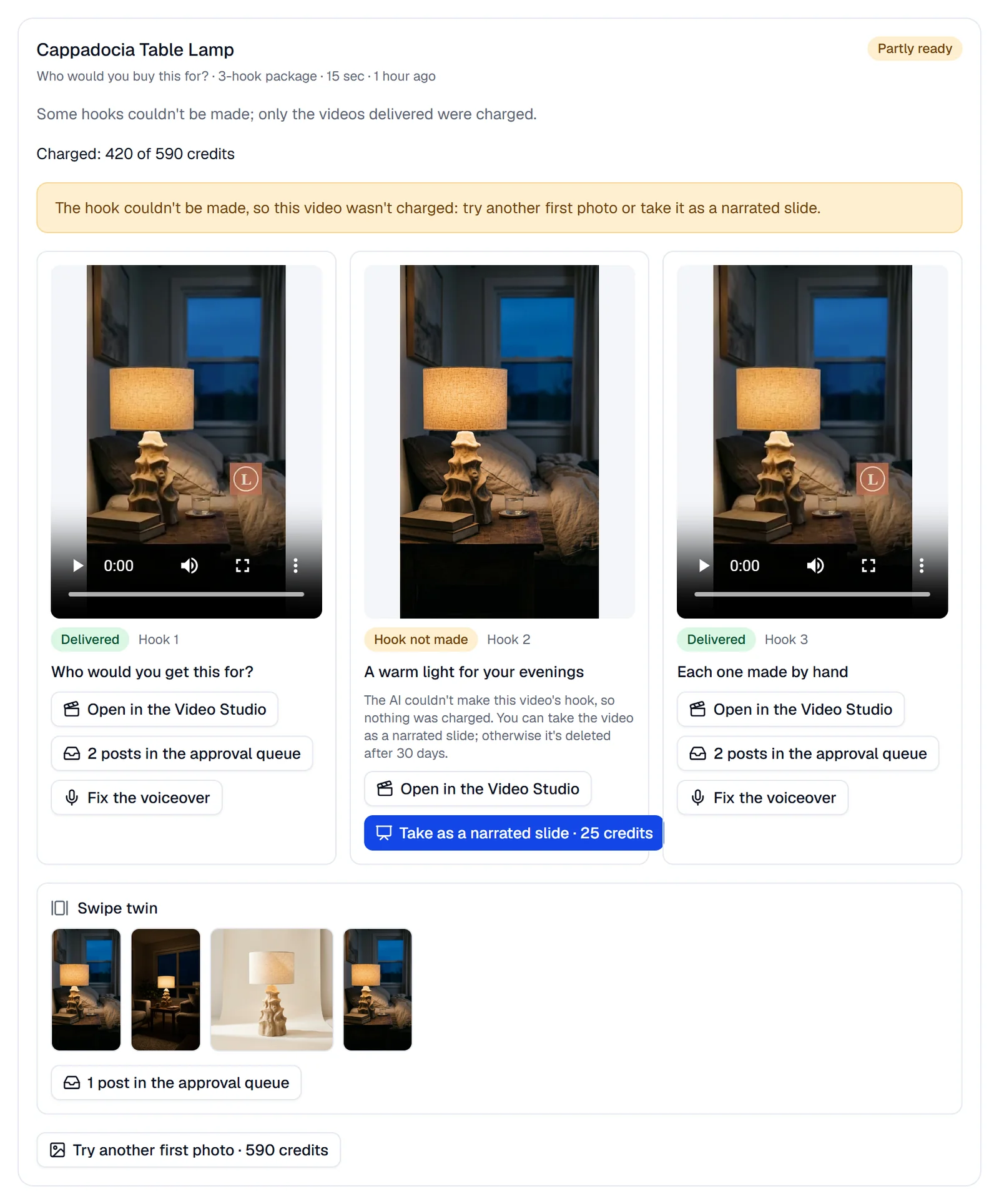
- Try another first photo · … credits: a new short video at the level's price; the script isn't written again.
- Take as a narrated slide · … credits: the video becomes yours at the narrated slide's price and goes into your library and the approval queue; nothing is made again. If you don't take it, the video is deleted after 30 days.
- Once this month's allowance is used up, the warning This month's allowance is used up: … shows above the button. A video whose hook can't be made is then delivered with a simple camera move as its hook and charged at the price shown; its card carries the note The AI couldn't make the hook and this month's allowance was used up: …. The allowance renews at the start of each month.
The first photo
If the hook is likely to fail with the first photo you chose, the page tells you why before the short video starts and before any credits are reserved:
- The photo is small: its shorter side is under 600 pixels.
- The product takes up a small part of the photo: choose one where it's close up.
Put another photo first, or press Go ahead with this photo. If you go ahead and the hook can't be made, the rule above applies. A Narrated slide isn't checked, as it has no AI motion.
What's checked and what you pay
- The price is on the button; it's reserved once when you start and deducted once when the video is delivered. The script, the AI clips, the voiceover and the swipe twin are included. Prices for 15 seconds: Narrated slide 25, Standard 210, Full motion 590 (1,150 for 30 seconds), 3-hook package 590 credits.
- In the 3-hook package you pay the Standard price for each video delivered, up to the package's price: 420 credits if two videos are delivered.
- In Full motion, each scene that couldn't be animated has its share taken off (190 credits for 15 seconds, 188 for 30); if no scene could be animated, you pay the Standard price.
- A video that isn't delivered isn't charged; if none is delivered, the reserved credits are released. The card says Charged: … of … credits; in the credit history the deduction shows as Short video with the level's name.
- The script can't contain a price, a percentage, "best", "viral", a guarantee or urgency, a sale when there's no real discount, or your brand's banned words; such a script is written once more, and if it still fails the short video isn't made and nothing is charged. In the video, the price shows only on the closing card.
- SemPost's content check reads the words and pictures: Content rules for AI generation.
- A video with an AI motion clip or a synthetic voiceover gets the network's AI label: AI labels on your pictures and videos.
- The short video's posts have no Rewrite the text or New image.
- An X post isn't in the button's price: each one takes 3 credits as it goes out, like every X post. See Connect an X (Twitter) account.
If something goes wrong
- The price changed. Look at the new total before generating. Check the new price on the button; if it's fine, press it again.
- Not enough credits: this needs … credits and … are available. Nothing started; an owner can buy credits in Settings › Billing.
- This account's network takes no video: choose another account. Google Business, for example, takes no video.
- Choose one X account: X refuses the same text on two of its accounts. Keep one X account ticked.
- This format needs at least … photos of the product. Add photos or choose another format.
- Before and after uses the shop's own photos only: leave out pictures made with AI.
- With this first photo the AI hook may not keep the product: choose another photo or go ahead with this one. See The first photo.
- This short video is being made now, so it can't be called off any more.
- The hook couldn't be made, so this video wasn't charged: try another first photo or take it as a narrated slide. See If the hook can't be made.
- This hook's video wasn't made, or was deleted after 30 days, so it can't be taken as a narrated slide: try again with another photo.
- This hook's video has already been taken as a narrated slide. A hook can be taken once.
- This video's voiceover is being fixed: wait until the new video is ready. A hook's second fix can be made once its first is done.
- The voiceover is the same as before: change its words or its voice.
- Only a delivered video's voiceover can be fixed.
- Short videos aren't open yet: the page works once the feature is open for your workspace.