How-to guide
Use a product page's address
Read a product's name, description, price and photos from its page address, without connecting a store, and make posts from it.
You don't need a connected store to make posts from a product. Give SemPost the address of the product's page, and it reads the name, description, price and photos from the page itself. This works on Shopify and WooCommerce shops and on many other shops' pages.
Only pages you may use
Use only product pages that are yours or that you have permission to use: the photos and texts on a page belong to its owner. SemPost repeats this under every box where you enter an address.
Try an address
Paste the address
Go to Settings › Store connections. Under Read a product from its address, paste the page's address into Product page address. It must start with https://.
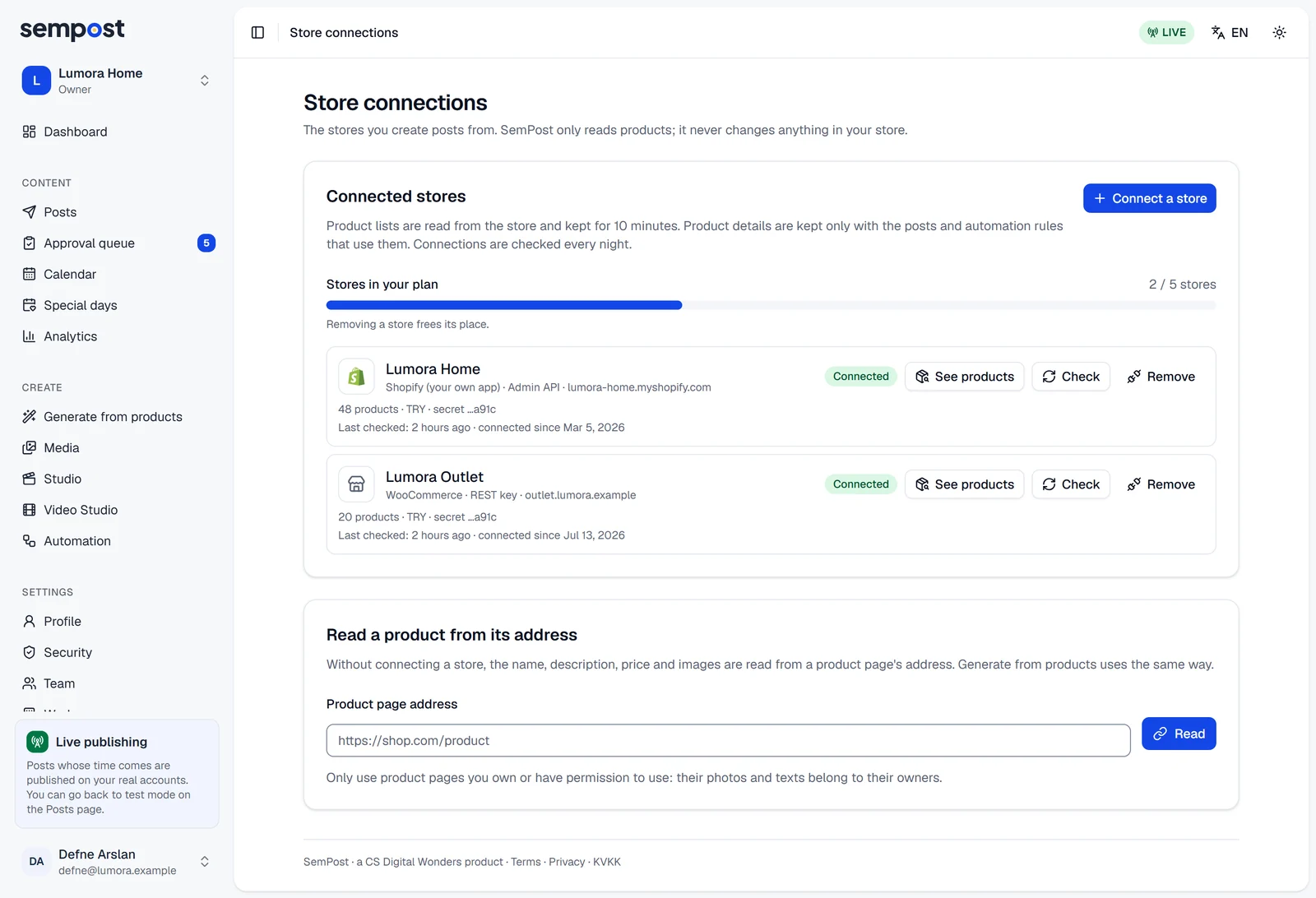
Read it
Press Read. SemPost shows the product as it would use it: the first photo, the name, the price and the number of photos, then the description, Source: with the way it found the details, and Open the page. This card doesn't add the product anywhere; it's for checking a page before you use it.
How SemPost reads a page
SemPost reads only the page you gave, never the links on it. It tries these ways in order, and Source: names the one that worked:
- Shopify storefront: on a Shopify shop's product page, the details the shop publishes for each product.
- WooCommerce store: on a WooCommerce product page, the details the shop publishes for each product.
- Product data in the page: the product details many shops put in their pages for search engines.
- The page's sharing tags: the title, description and picture a page gives for link previews, and a price only when the page lists one there.
A product gets at most 10 photos.
Where you can use it
- Generate from products: on the From a product URL tab, paste the address and press Add. A page without a photo can't be picked. When the posts are made, the page is read again, so they get the price it shows then. See Generate posts from your products.
- Automation rules: in a rule's Products step, choose Product page addresses and add up to 50 pages. The rule reads them again each time it prepares a day and just before each post goes out. If none of them can be read on three of its days in a row, the rule stops and the owners and admins get an email. Rules that post when a product is added or back in stock need a store group instead. See Create your first automation rule.
- Studio: under Media, From a link brings the page's photos into the tray and its details into Content. In the Video Studio, From a product page does the same for a new project.
If something goes wrong
- No product details could be read from this page. The page answered with an error, or it isn't a web page (a picture or a PDF, for example). If the product is in your own store, connect the store and pick the product there.
- This address leads to Etsy, and Etsy does not allow apps to read its pages. See Why Etsy listings can't be read.
- This address cannot be used. Check the address for typos: SemPost only reads sites that are open on the internet.
- The store did not answer. Try again in a moment. The page took too long to answer.
- A product without a photo cannot be used. SemPost found no photo on the page. Try the address under Read a product from its address to see what it reads.