How-to guide
Connect a YouTube channel
Confirm that your channel doesn't publish content made for kids, connect it, and see what SemPost tells YouTube with every video.
YouTube asks creators to say whether each video is made for kids. SemPost tells YouTube it isn't, on every upload, so before it connects a channel it asks you to confirm that the channel doesn't publish content made for kids. SemPost keeps who confirmed it and when.
Connect the channel
Start the connection
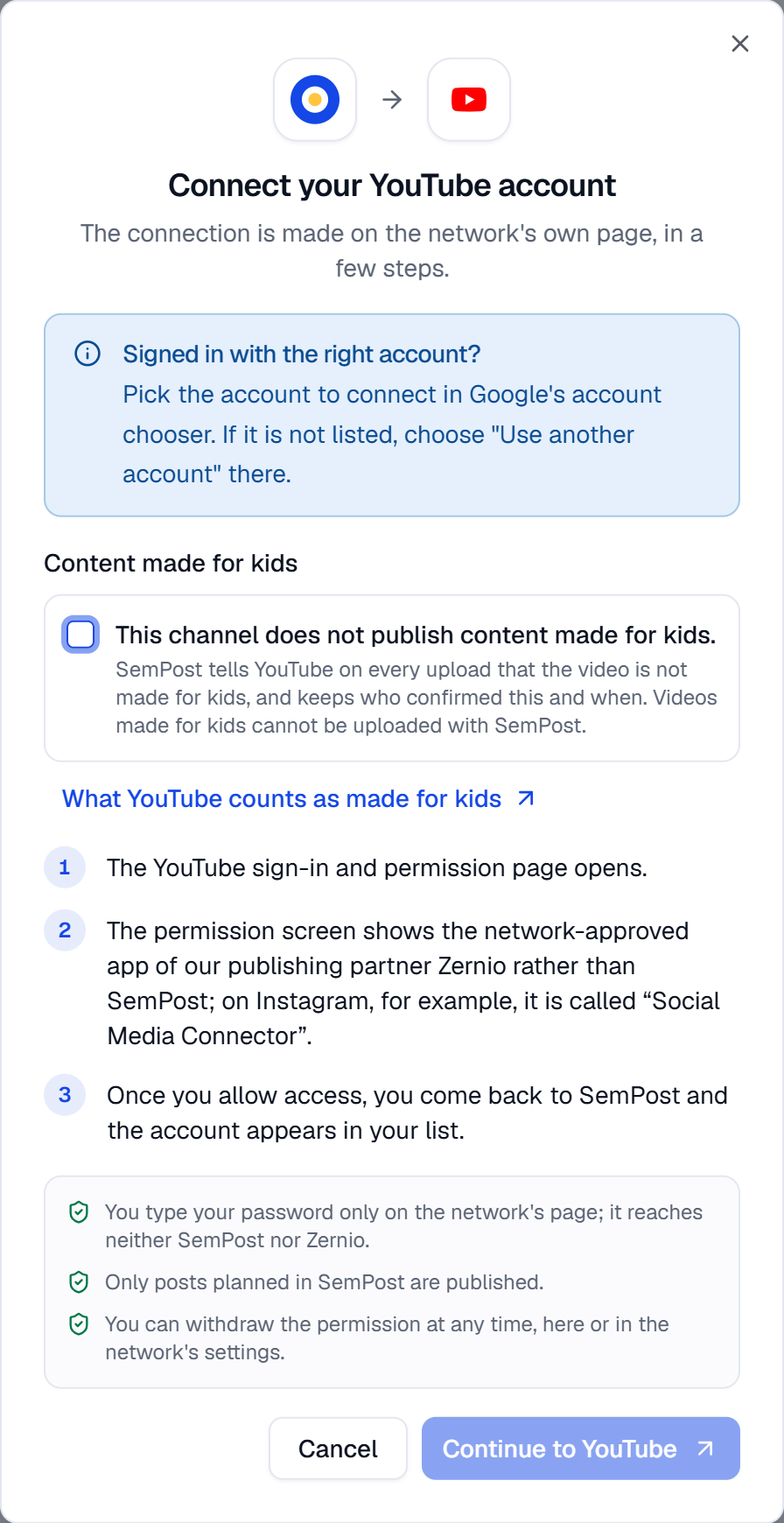
Go to Settings › Social accounts and press Connect next to YouTube.
Confirm the channel isn't for kids
Under Content made for kids, tick This channel does not publish content made for kids. The Continue to YouTube button stays off until you do. What YouTube counts as made for kids opens YouTube's own explanation.
Choose the Google account
Press Continue to YouTube. In Google's account chooser, pick the account of your channel; if it isn't listed, choose "Use another account". Then allow access.
Check the channel
Back in SemPost, the channel is under Connected accounts, with Confirmed: this channel does not publish content made for kids. under its name.
In the Shopify admin, the box is asked in the new tab where the connection is made.
What SemPost tells YouTube
- On every upload, that the video isn't made for kids.
- When the video has AI-made parts, YouTube's "altered or synthetic content" disclosure.
Videos made for kids can't be uploaded with SemPost: if your channel publishes them, don't connect it. When you reconnect the channel, the dialog asks for the confirmation again, and SemPost keeps the new one.
A channel connected before the confirmation
A channel connected before SemPost asked for this says Until it's confirmed that this channel does not publish content made for kids, posts to it fail when their time comes. An owner or admin presses Confirm on the channel, reads the window and presses Not made for kids. Other members see A workspace admin can confirm it.
Until then, a post to the channel isn't sent when its time comes: it fails with Not sent: confirm in Settings › Social accounts that this YouTube channel does not publish content made for kids. Confirm the channel, then create the post again.
What a YouTube post needs
- A video. YouTube has one content type in SemPost, Shorts (video, 9:16), so a post to a channel needs a video. Generate from products makes it from the product's slideshow video: see Videos and motion clips.
- Text and title. The post's text becomes the video's description, up to 5,000 characters, and Title, up to 100 characters, its title.
- Your consent for automation. An automation rule uploads to the channel only after you tick its YouTube consent box: see the networks' rules in automation.
If something goes wrong
- This network needs a video. on a YouTube post: the post has no video. Edit it and add one.
- An account can't take this media as chosen: pick another content type or other media. You chose pictures for a YouTube account: choose a video, or leave the channel out of this post.