How-to guide
Compare your posts
Sort your accounts' posts by any number, narrow them to an account or a network, and follow one post day by day.
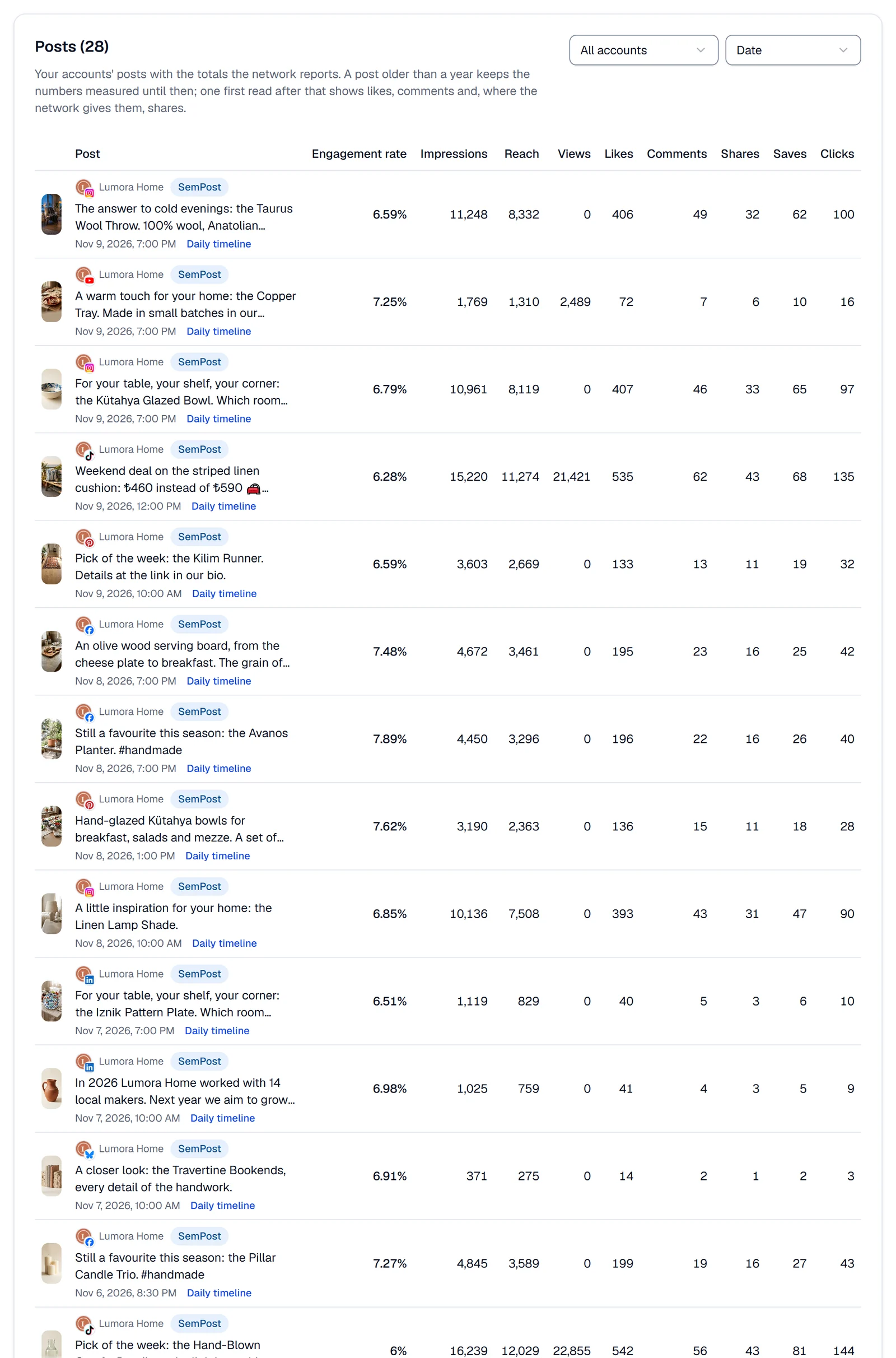
At the bottom of Analytics, the Posts table lists your accounts' posts from the chosen period with the totals each network reports. The posts you sent with SemPost and the ones you shared on the network directly are in it together.
Sort and narrow the table
Choose the period and the network
At the top of the page, choose the period and, if your accounts are on several networks, one in All networks. The table follows both.
Choose an account
With more than one account, pick one in All accounts to see only its posts.
Sort the posts
The sort list, on Date when the page opens, puts the posts in order, highest first: Date (newest first), Engagement (likes, comments, shares and saves together), Engagement rate, Impressions, Reach, Views, Likes, Comments, Saves or Clicks. The table shows 25 posts a page; the arrows under it turn the pages.
What a row shows
- The post's picture as the network gives it, the account, and where the post came from: SemPost or On the network.
- The start of its text (Post without text when there's none) and when it was published.
- Engagement rate: likes, comments, shares and saves divided by impressions, as a percentage. When a network reports no impressions, SemPost divides by reach, or else by views. A dash means none of the three came back.
- The numbers. A column shows only when a post on the page has that number; Likes and Comments always show.
- Daily timeline, on posts that have one, opens the post's impressions, reach, likes and comments day by day, as a chart and a table. Open the post opens it on the network.
Compare fairly
- To compare posts from accounts of different sizes, sort by Engagement rate: it doesn't grow with the audience the way likes do.
- Compare posts of the same network and the same kind: each network counts its numbers its own way, and not every network reports every number.
- An older post may have likes and comments only: see What each network reports.
Which posts are in it
- The posts of your connected accounts, those waiting to be reconnected included. A removed account's posts leave the table and come back if you connect the same account again, LinkedIn's apart: see Nightly checks and reconnecting.
- A post you delete on the network leaves the table once the network reports it.
- Posts validated in test mode aren't here: they were never shared.
- New numbers come in every hour. After you connect an account, its posts can take a few hours to arrive.
The AI writer's In the voice of my best posts learns from the posts here with the most interactions: see Let the AI write the text.
If something goes wrong
- No posts in this period: choose a longer period, or wait a few hours after connecting an account.
- No daily data for this post yet. The measurements have no day-by-day record of this post, for example one older than a year.
- A post's picture is missing. The network's picture address has expired; the row and its numbers stay.