How-to guide
An account's language and time zone
Choose the language SemPost writes an account's posts in and the time zone of its audience, and see what each one changes.
Each connected account has two settings of its own, under its name in Settings › Social accounts: Post language, the language SemPost writes its posts in, and Time zone, the time zone of its audience. Both follow the workspace until you change them, and a change is saved as soon as you pick it.
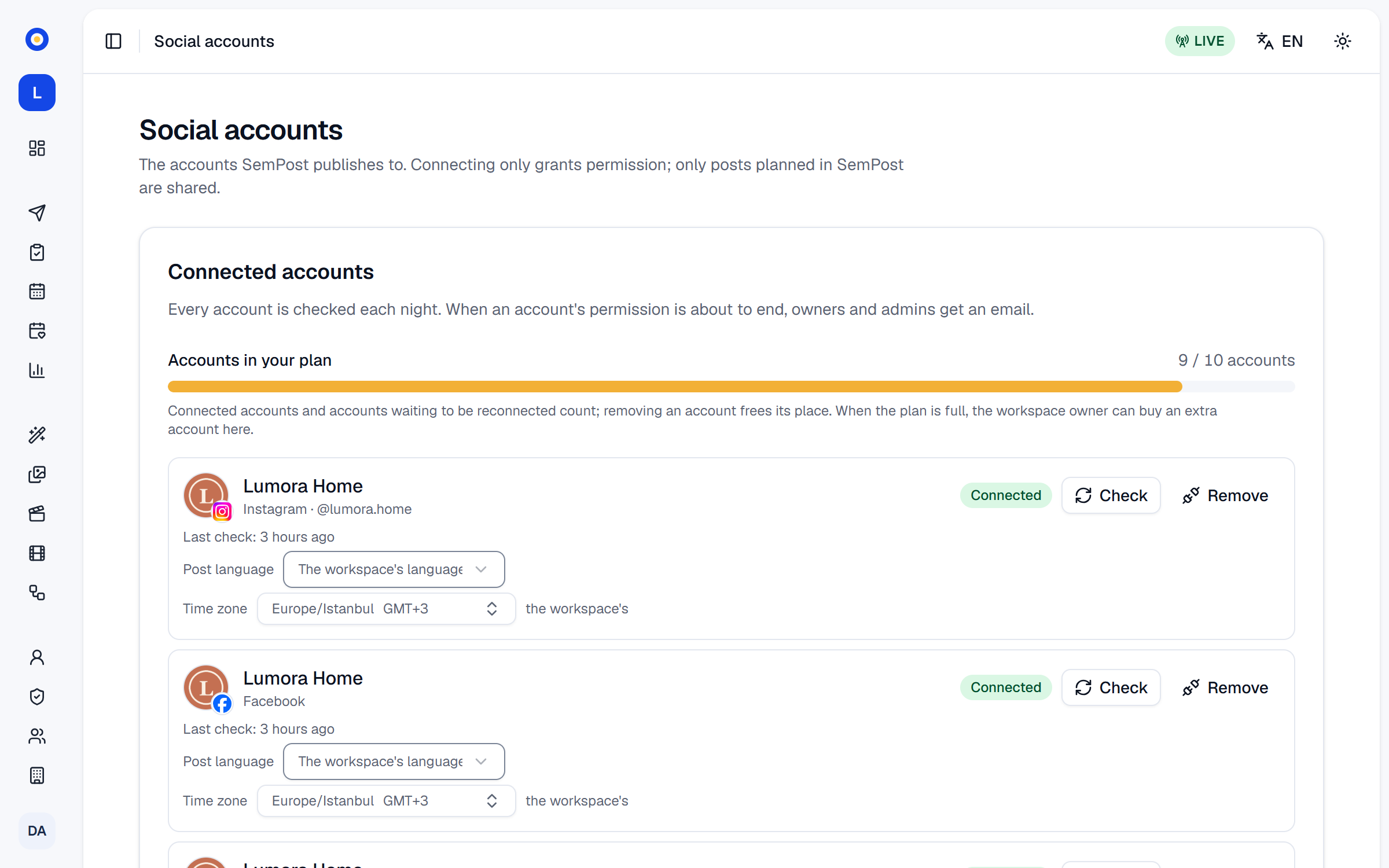
Owners and admins change these settings. Other members see them as text under each account.
Post language
Open Post language under the account and choose The workspace's language or one of eight languages: Turkish, English, German, French, Spanish, Italian, Dutch or Arabic. The workspace's own language, in Settings › Workspace, is Turkish or English, so give an account its own language when its audience reads another one.
What it changes:
- Generate from products, the Studio and automation rules write each account's posts in its Post language when their Language is Each account's own language, the default. An account left on the workspace's language gets the language of the Shopify market the product was picked in, when it's one of the eight, and the workspace's language otherwise.
- AI writes it on the Posts page writes in the chosen accounts' Post language when they all have the same one, and in the workspace's language otherwise.
- Posts already written keep their language, and Rewrite the text keeps it too.
Time zone
Open Time zone under the account and pick the zone where its audience lives. Until you do, it shows the workspace's zone with the workspace's beside it; Use the workspace's (…) puts it back.
An account's time zone doesn't change when its posts go out, and you still enter every time in the workspace's time zone. It shows you the time the account's audience sees:
- A post's Edit window and the calendar's side panel add a line such as "The account's time: …" when the account's zone differs from the one the times are shown in.
- An automation rule's preview warns when one of the rule's set times falls between 23:00 and 07:00 on the account's clock.
More on times: Time zones, best times and daily limits.
If something goes wrong
- Generated posts aren't in the account's Post language. The run's Language was one language, which goes for every account. Choose Each account's own language next time.