How-to guide
Paying through Shopify
Pick and change your plan on Shopify's plan page, add credit packs and extra accounts to your Shopify bill, and see what differs from paying on the web.
A workspace that came from the Shopify App Store pays through Shopify: its plan, credit packs and extra social accounts go on your Shopify bill. The plans, credits and limits are the same as on the web; what differs is where you choose and how you pay.
Pick a plan
Open the plans
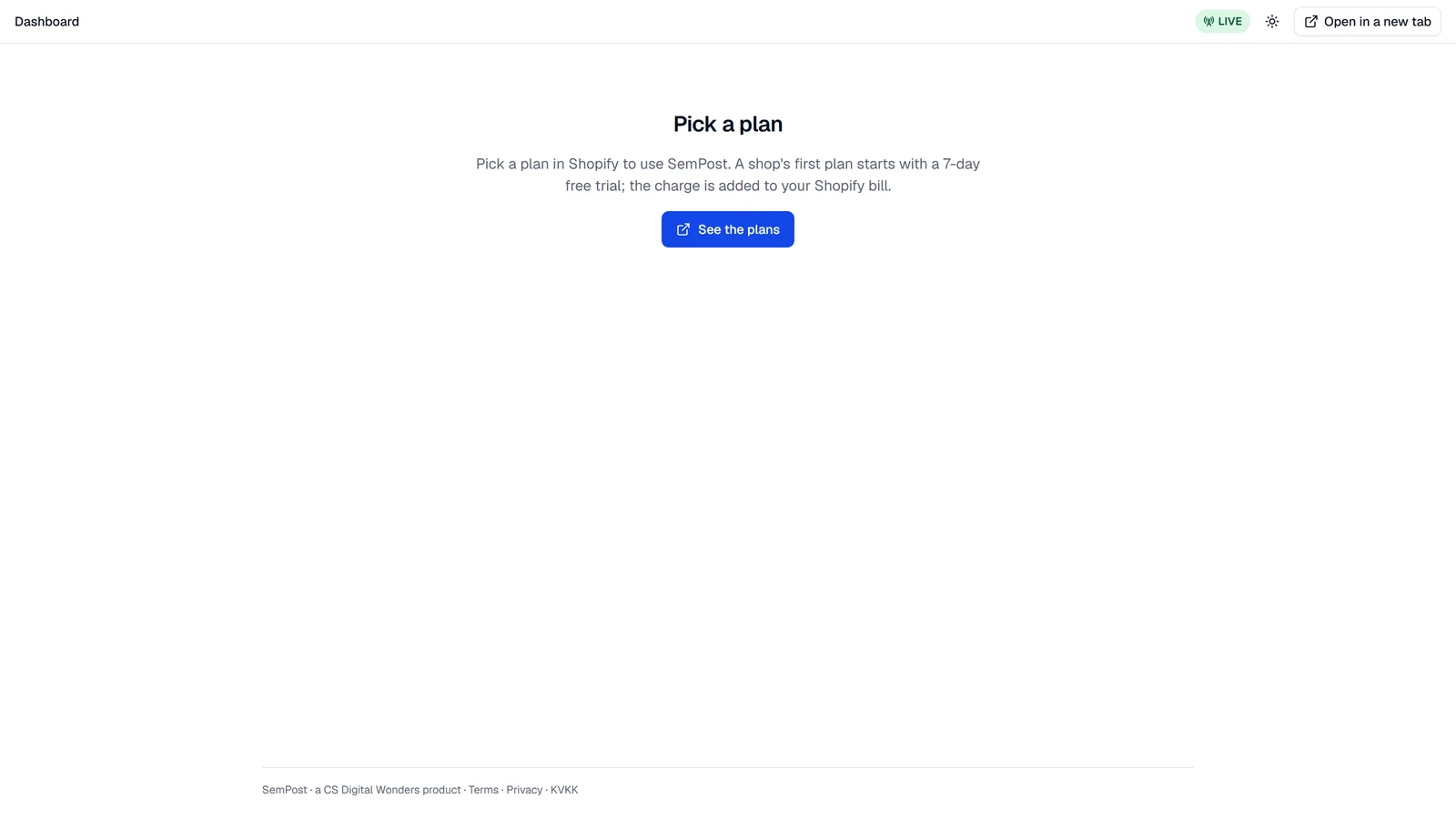
Until a plan is picked, SemPost shows Pick a plan in the Shopify admin instead of its pages. Press See the plans.
Approve it on Shopify
Shopify's plan page opens. Choose a plan and approve it. Every plan starts with a 7-day free trial; after it, the plan's price is added to your Shopify bill.
Back in SemPost
Shopify brings you back to Settings › Billing, which says Your … plan came through from Shopify. If the plan doesn't show yet, press Read again.
Your Shopify plan
The Shopify plan card in Settings › Billing shows the plan, marked Trial or Active, and what comes next: the day the free trial ends, the next charge, a smaller plan waiting for its day, or the day a cancelled subscription ends.
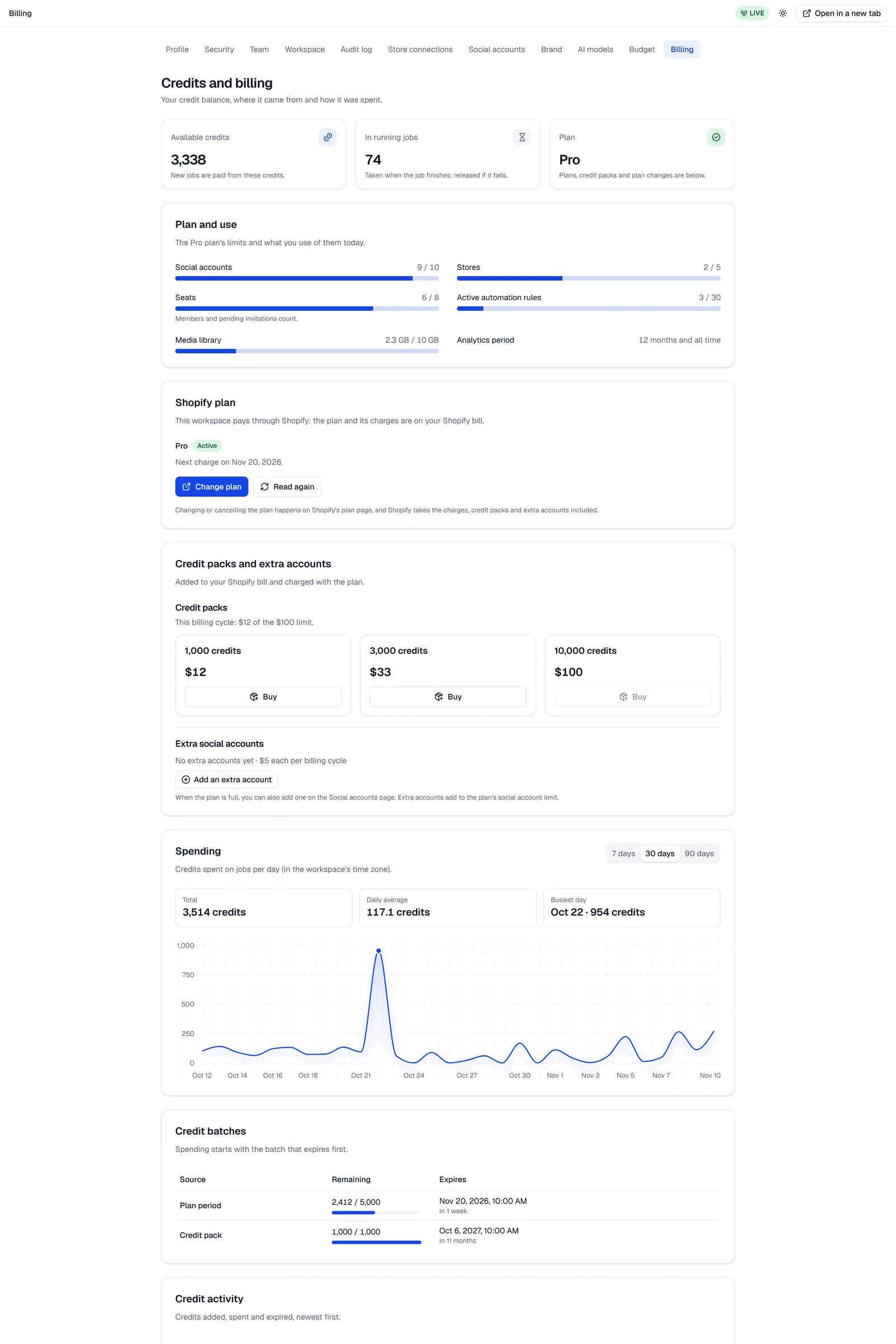
During the free trial, the plan's limits apply and the workspace gets the trial credits, once per shop: installing SemPost again doesn't bring them back. On a live store, each billing cycle from the first on loads the plan's monthly credits.
Change or cancel the plan
Change plan on the card opens Shopify's plan page, where you choose another plan or cancel.
At app.sempost.ai, Shopify's plan page opens in a new tab. When you're done there, come back to SemPost's tab and press Read again.
- A bigger plan applies as soon as SemPost reads it from Shopify, with its credits.
- A smaller plan starts when Shopify applies it, at the end of the billing cycle; until then, what you add must fit it. Unlike on the web, nothing has to be removed first: once the smaller plan starts, what's beyond its limits stays, nothing new can be added until you're under them, and active automation rules beyond its limit stop, newest first.
- A cancelled plan runs to the end of the billing cycle, then closes: generation, automation and publishing stop, your data stays, and social accounts are disconnected 48 hours later. Pick a plan again to go on.
Removing the app ends the plan
Removing SemPost in the Shopify admin closes the plan at once. Shopify asks SemPost to delete its data 48 hours later, and the workspace goes then. Installing SemPost again before that keeps it.
Credit packs and extra accounts
Only the owner Owner adds them, on the Credit packs and extra accounts card. They go on the Shopify bill and are charged with the plan. They can be added once the free trial has ended, and not when the subscription ends with the current billing cycle or on a development store.
- Credit packs: press Buy on a pack, then Buy in the window. The credits are added at once and last 12 months. Each billing cycle has a limit for packs, and the card shows how much of it is used.
- Extra social accounts: press Add an extra account, then Add the account. Its full price goes on this billing cycle's bill at once, then on every new cycle until you give it back; on the web you'd pay only the share for the rest of the period. Give one back stops it from the next cycle; the current cycle isn't refunded. When the plan is full, Add an extra account is in Settings › Social accounts too.
There's no SemPost change window, no Stripe page and no Link receipt here: Shopify's plan page and your Shopify bill take their place.
Development stores
Shopify doesn't bill development stores, so SemPost runs one on a test allowance. You can use the features of the plan you pick, with the free trial's credits once per store and the trial's limit on social accounts. Monthly plan credits, credit packs and extra social accounts aren't available there: they work on a live store. Settings › Billing shows Development store: test allowance.
If Shopify's plan page offers no plan on your development store, install SemPost on your live store instead: its first plan starts with a 7-day free trial.
If something goes wrong
- Credit packs and extra social accounts go on the Shopify bill once the subscription's free trial has ended.
- This billing cycle's credit pack limit is reached. More packs can be bought in the next cycle.
- Shopify did not take the charge, so nothing was bought. Try again in a moment.
- Shopify doesn't bill development stores, so credit packs and extra social accounts are off here. They work on a live store.
- Shopify did not answer. Open SemPost again from the Shopify admin in a moment. Nothing was bought.
- Shopify's plan page is not ready yet. Try again later, or write to [email protected].
- Purchases through Shopify are not open yet. Credit packs and extra accounts can't be added yet.