How-to guide
Find your best times to post
See on which days and at which hours your posts get the most engagement, and where SemPost uses your best hours to pick a time for you.
The Best times to post card on Analytics shows when your posts get the most engagement, by day of the week and hour. SemPost uses the same measurements when it chooses a time for a post.
Read the card
Choose a network
Open Analytics. To see one network only, choose it in All networks at the top of the page. The card uses all your measured posts, whatever period is chosen.
Read the summary
Best time is the day and hour with the highest average engagement per post. Best day and Best hour are the best day of the week and the best hour of the day, across the whole week. Posts measured says how many posts the card is based on, and in which time zone it shows the hours: your workspace's, set in Settings › Workspace.
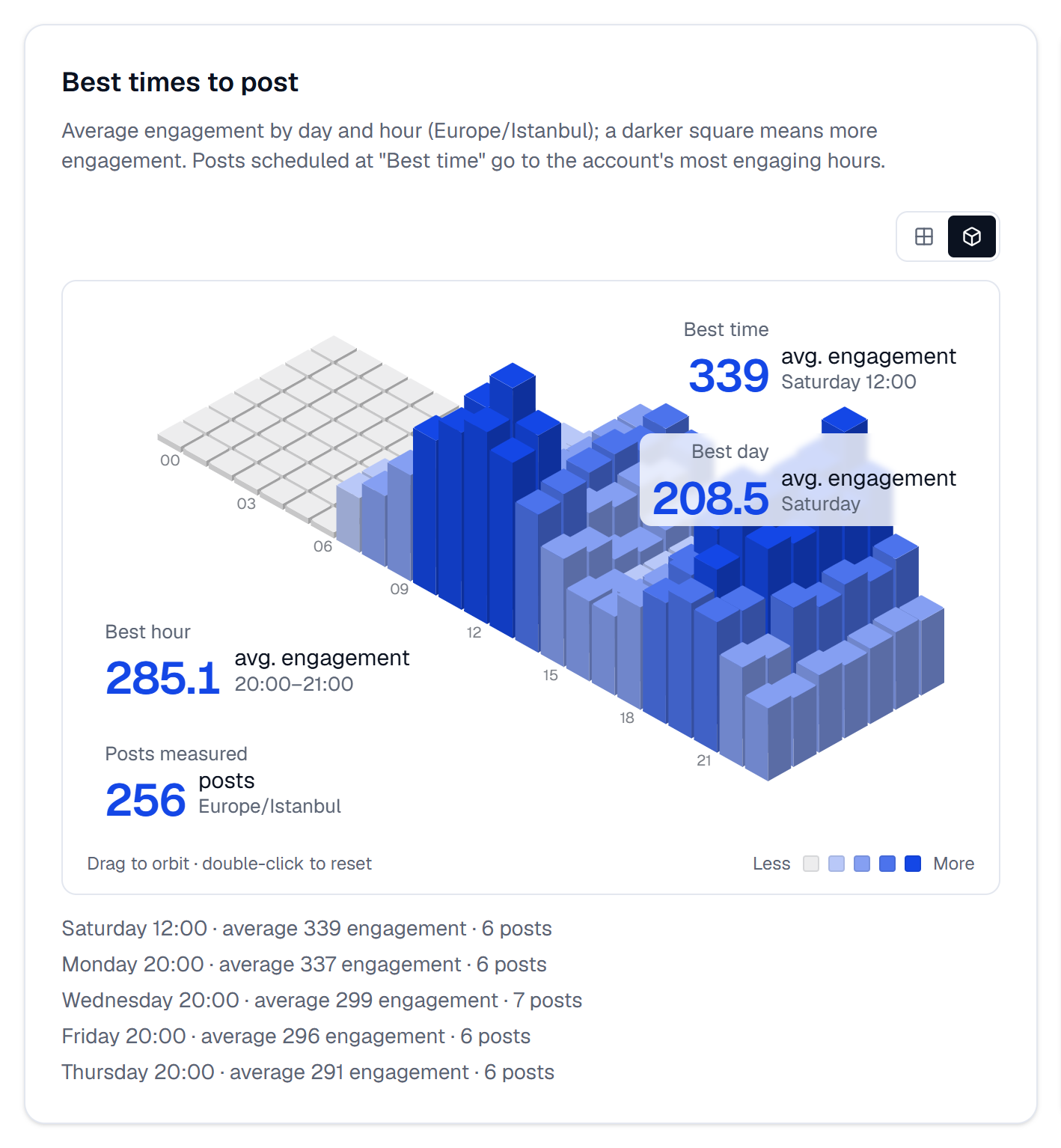
Look at the grid
Each square is one hour of one day; the darker it is, the more engagement. The two buttons above it switch between 3D view and Flat heat map. In 3D, drag to turn the grid and double-click to put it back. On the flat map, point at an hour to see its numbers, or go through the hours with the arrow keys. Press a square in the Less … More legend to pick out the hours at that level.
Read the list
Under the grid, the five best hours are written out with the day, the hour, the average engagement and how many posts it comes from. An hour with one post says less than an hour with ten.
Where SemPost uses your best times
SemPost starts from an account's best hours whenever it picks a time for one of its posts:
- Best time under Timing, on the Posts page and in Generate from products;
- when a post without a time is approved, alone or with others;
- on the calendar, with Place at the best time or when you drop a post on a day in Month; with one account chosen, the calendar also shades its best hours as Suggested hour;
- in automation rules set to Best times.
There it uses each account's own hours, not the combined card: up to three hours for each day of the week, and an hour counts once at least two of the account's posts were measured in it. Until then, SemPost uses its default posting hours. It also keeps to the account's daily post count and leaves 4 hours between its posts. The details are in Time zones, best times and daily limits and How a rule turns into posts.
If something goes wrong
- Not enough posts yet; this fills in as your accounts post. Too few of your posts have been measured so far. Keep posting: the card fills in by itself.
- The hours look shifted. The card shows them in the workspace's time zone, not your device's or an account's own. Check it in Settings › Workspace.