How-to guide
Choose the AI models
Pick the model each kind of AI work runs on, see what it costs in credits before you save, and know what the choice changes.
Each kind of AI work in SemPost runs on a model, and the model sets its price in credits. In Settings › AI models, admins and the owner pick one model for each kind of work, for the whole workspace: a cheaper one, or a stronger one that costs more. Everyone else in the workspace can look at the page.
The kinds of work
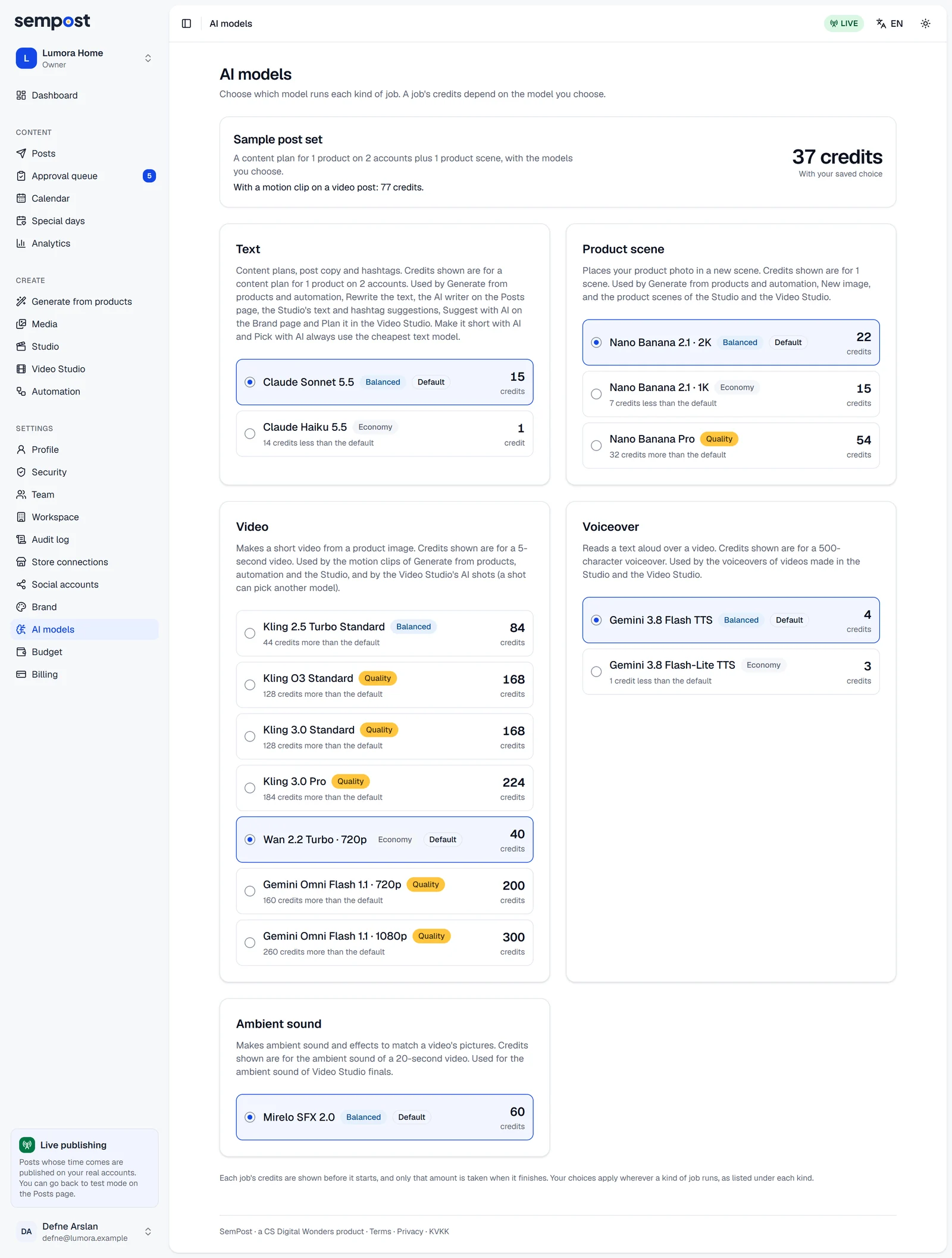
| Kind | What it makes | Where SemPost uses it |
|---|---|---|
| Text | Post texts, content plans and hashtags | Generate from products and automation rules, Rewrite the text, the AI writer on the Posts page, the Studio's AI texts and hashtag suggestions, Suggest with AI on the Brand page, Plan it in the Video Studio |
| Product scene | Your product photo in a new scene | Generate from products and automation rules, New image, Make a scene in the Studio and the Video Studio |
| Video | A short clip from a product picture | The motion clip of video posts in Generate from products and automation rules, the Studio's motion clips, the Video Studio's AI shots |
| Voiceover | A text read aloud over a video | Voiceovers in the Studio and the Video Studio |
| Ambient sound | Sound and effects that match a video's pictures | The ambient sound of Video Studio finals |
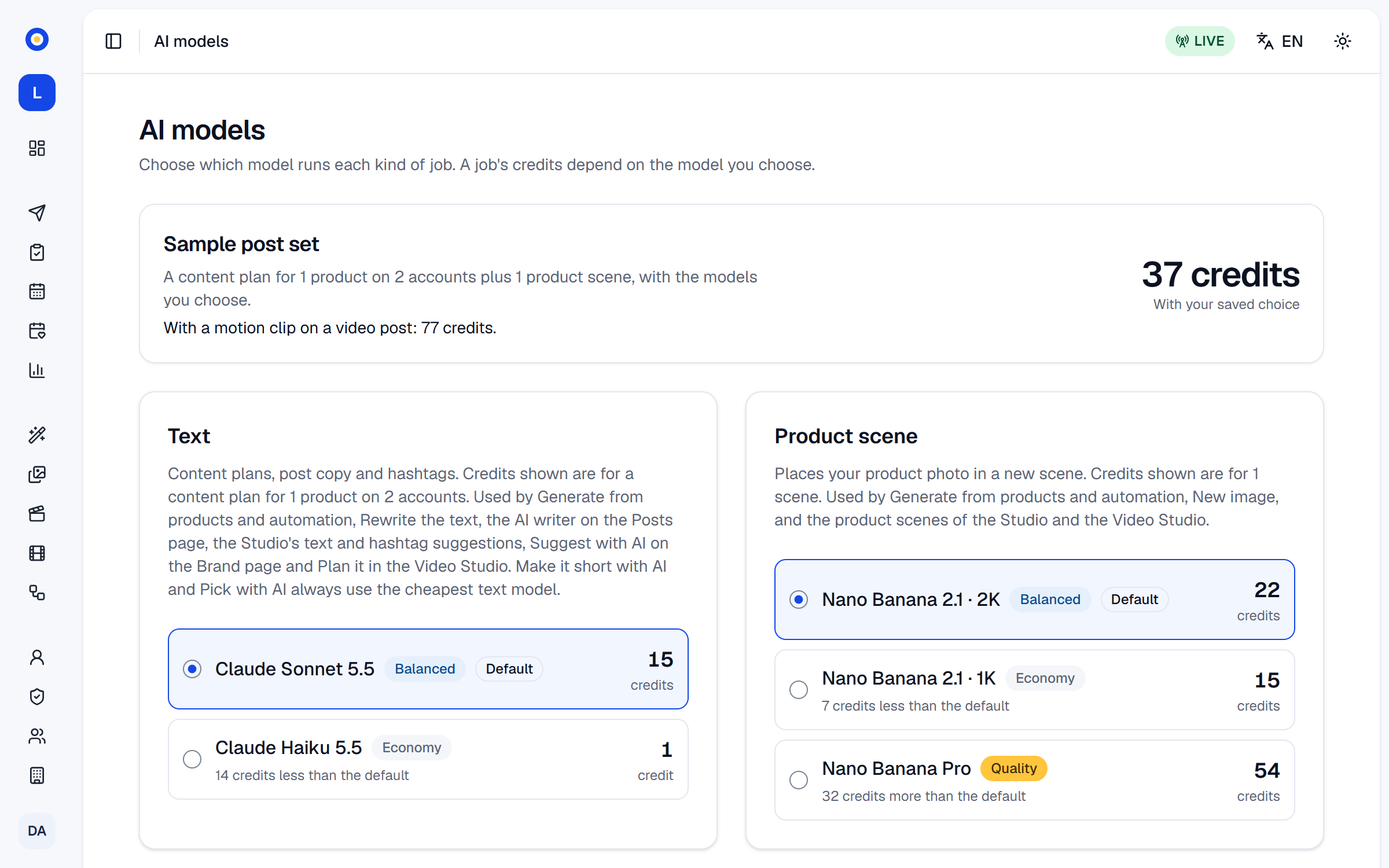
Each model shows its tier, Economy, Balanced or Quality, and the credits of the sample job named under its kind, such as a content plan for 1 product on 2 accounts. Default marks the model SemPost picks for that kind; the other models say how many credits more or less they cost than the default. Until someone picks a model, the default is used.
Change a model
Open AI models
Go to Settings › AI models.
Pick a model
Choose a model in one or more kinds of work. Sample post set, at the top, adds up a content plan for 1 product on 2 accounts plus 1 product scene with the models you pick, and says how many credits more or less that is than your saved choice. The line under it gives the same set with a motion clip on a video post.
Save
A bar at the bottom of the page counts the kinds of work with unsaved changes. Press Save choice, or Discard to keep the models you had.
What a change does
- Work you start shows its price first, with the models chosen at that moment. A job that's already running is charged no more than it reserved when it started.
- If the price changed after you saw it, nothing is taken: starting shows The price changed. Look at the new total before generating. with the new total.
- Automation rules price each day with the models chosen when the day is prepared.
- The Studio's motion clips and the Video Studio's AI shots run on the video model you picked when it can make that move; otherwise SemPost uses one that can. Under AI model, a Video Studio shot can also use another model, for that shot only.
- Make it short with AI in the Studio and Pick with AI in the Video Studio always run on the cheapest text model.
- If a model you picked is no longer offered, its kind's default is used.
What each kind of work costs on its default model, and the range across the other models:
| Action | Credits | Other models |
|---|---|---|
| AI texts for one product's posts | 15 | 1–15 |
| An AI scene from your product photo | 22 | 15–54 |
| A 5-second motion clip | 40 | 40–300 |
| A voiceover of about 35 seconds | 4 | 3–4 |
| Ambient sound for a 20-second video | 60 | |
| Scheduling, publishing, analytics and slideshow videos | Free |
To cap how many credits the workspace spends in a day or a month, see How credits work. Every change of model shows in the audit log as Changed an AI model choice.
If something goes wrong
- Only owners and admins can change the models. Your role can only look at the page.
- This model is not available for your workspace. The model was taken off the list meanwhile: open the page again and pick another one.
- No model is available for this kind of job right now. That kind of work can't run until a model is offered for it again.